

|
79Score
Getting your Trinity Audio player ready...
|
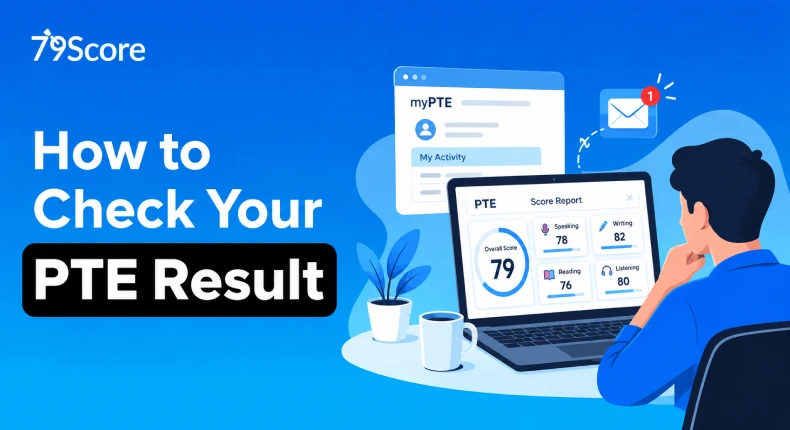
Finishing the PTE exam is a big relief, but the wait that follows can test your patience just as much. The good part is that Pearson doesn’t take long, and once you know how to check your PTE Result, you can see your scores in a few minutes. In this blog, we’ll walk through when results arrive, the exact steps to open them, what your report actually shows, and what to do if you get stuck.
When Do Your Scores Come Out?
Pearson scores the test with AI, so there’s no human queue holding things up. Most candidates hear back within 48 hours, although a few wait a little longer. The normal window is 1 to 5 business days, and plenty of people get theirs in about two.
Pearson sends an email the moment your score is ready, so keep an eye on your inbox. The system runs around the clock, so the hour you sat the exam hardly matters.
👍 Free PTE Mock Test with AI Score – Check Your Preparation Level Now
Steps to Open Your Score Report
Once that email shows up, the rest is simple. Here’s how it goes:
- Check your email: Look for the notification from Pearson. It confirms your scores are ready and points you to the results portal.
- Log in to myPTE: Head to the official Pearson PTE website and sign in with the same username and password you created while registering.
- Find the score button: On your homepage, click “View Score.” If you can’t see it there, open “My Activity” and use the “View Score” button beside your test.
- Download the report: Your score report opens with the overall result and a breakdown of every skill. Save it as a PDF so you have a copy to print or upload later.
- Don’t wait too long: The report stays available for two years from your exam date, after which it disappears from your account.
What’s Inside Your Score Report
The report looks busy at first, but it’s easy to read once you know the parts.
- Overall score: The main number, on a scale of 10 to 90.
- Communicative skills: Separate scores for Speaking, Writing, Reading and Listening.
- Enabling skills: Grammar, oral fluency, pronunciation, spelling, vocabulary and written discourse.
- Skill profile chart: A visual that shows where you’re strong and where you’re lagging.
- Validity: Scores are valid for two years from the test date.
It also helps to know what the numbers mean in practice. A 70 is considered a very good result and sits close to an IELTS band of 7.5. If a university or visa rule asks for 6.5 in each IELTS module, you should aim for roughly 50 to 58 in every PTE skill.
What If You Can’t See Your Results?
- Don’t panic. Most access problems have a boring, fixable reason.
- Make sure you’re entering the exact login details used at registration.
- Look through your spam and promotions folders for the Pearson email.
- Use your registration number if you’re asked for it while looking up the result.
- If five business days pass and nothing has arrived, reach out to the Pearson Help Center.
- Keep a screenshot of any error message, since it makes support much quicker.
How to Send Scores to Universities and Authorities
After you’ve looked over your result, you don’t need to post anything anywhere. You can send scores straight from the myPTE portal, and the sharing is instant and safer than traditional mail.
- More than 3,900 institutions accept PTE scores for admissions and visa applications.
- Double-check the name and details of each recipient before you hit send.
- Keep your PDF copy handy for your own records and for applications that ask for an upload.

Not sure where you stand? Take a free PTE mock and find out instantly


- Get a complete performance breakdown instantly
- Access 30,000+ Free Question Wise Practice
Not Happy With Your Score? Here’s What to Do
A lower score than you wanted isn’t the end of the road. Plenty of candidates improve noticeably on their second attempt once they’ve spotted their weak areas and started practicing in a smarter way.
- Retake the PTE Academic exam after going through your skill-wise scores carefully.
- Spend more time on high-scoring tasks.
- Work on fluency, pronunciation, grammar and coherence, since these feed into several tasks at once.
- Take mock tests on 79Score that give AI-scored feedback and performance analytics, so you know exactly where your marks are slipping.
- Aim for 79+ only with steady practice, because there’s no shortcut here.
Small Habits That Save You Stress
- Bookmark the myPTE login page before test day.
- Download your PDF report as soon as it’s live and back it up somewhere safe.
- Note your exam date so you know exactly when the two-year window closes.
Getting your PTE result is only the first step. If you want to improve your score and perform better in your next attempt, consistent practice with the right feedback can make a real difference. Practice with a PTE practice test online on 79Score to experience PTE-style questions, get AI-powered feedback, identify your weak areas, and track your performance over time.
FAQ:
How can I check my PTE test results online?
You can check your PTE results online by logging in to your official Pearson PTE account. Once your score report is available, you can view your scores and download the report from your account.
Is it possible to get PTE results in 2 hours?
No. The PTE test itself takes around 2 hours, but the results are not normally released within 2 hours. Pearson states that PTE results are typically available within 48 hours, although they can sometimes take up to 5 days.
Where can I find my PTE result reference number?
Your PTE result reference number can be found in your official PTE score report or result notification. You can also log in to your Pearson PTE account to access your result details and score report.
How to verify my PTE score online?
You can verify a PTE score online through Pearson's official score verification service. Institutions can use the details provided on the score report to confirm that the result is genuine and matches Pearson's records.
Also Read:
- How to Get 79 in PTE: Preparation Guide and 15-Day Study Plan
- PTE Academic Score Chart Guide to Help You Streamline Your Preparation


